 StoryFetcher
Save the stories worth keeping.
StoryFetcher shows the active stories from accounts you sign in to. Pick the ones you want and save them to Gallery. Your sign-in stays on your phone.
For iPhone, iPad and Android.
Sign-ins stay on your phone
Each account signs in inside the app.
Saves go to Gallery
The app adds to Gallery. It does not read your library.
Pick what you save
Select the stories you want. Save only those.
Three languages
English, Português, Español.
Four steps from sign-in to Gallery.
Add an account
Choose Instagram or Facebook and give the account a name you will know. The name only helps you tell accounts apart.
Sign in inside the app
The real sign-in page opens inside StoryFetcher. Your sign-in stays on this device. It never goes to our servers.
Choose stories
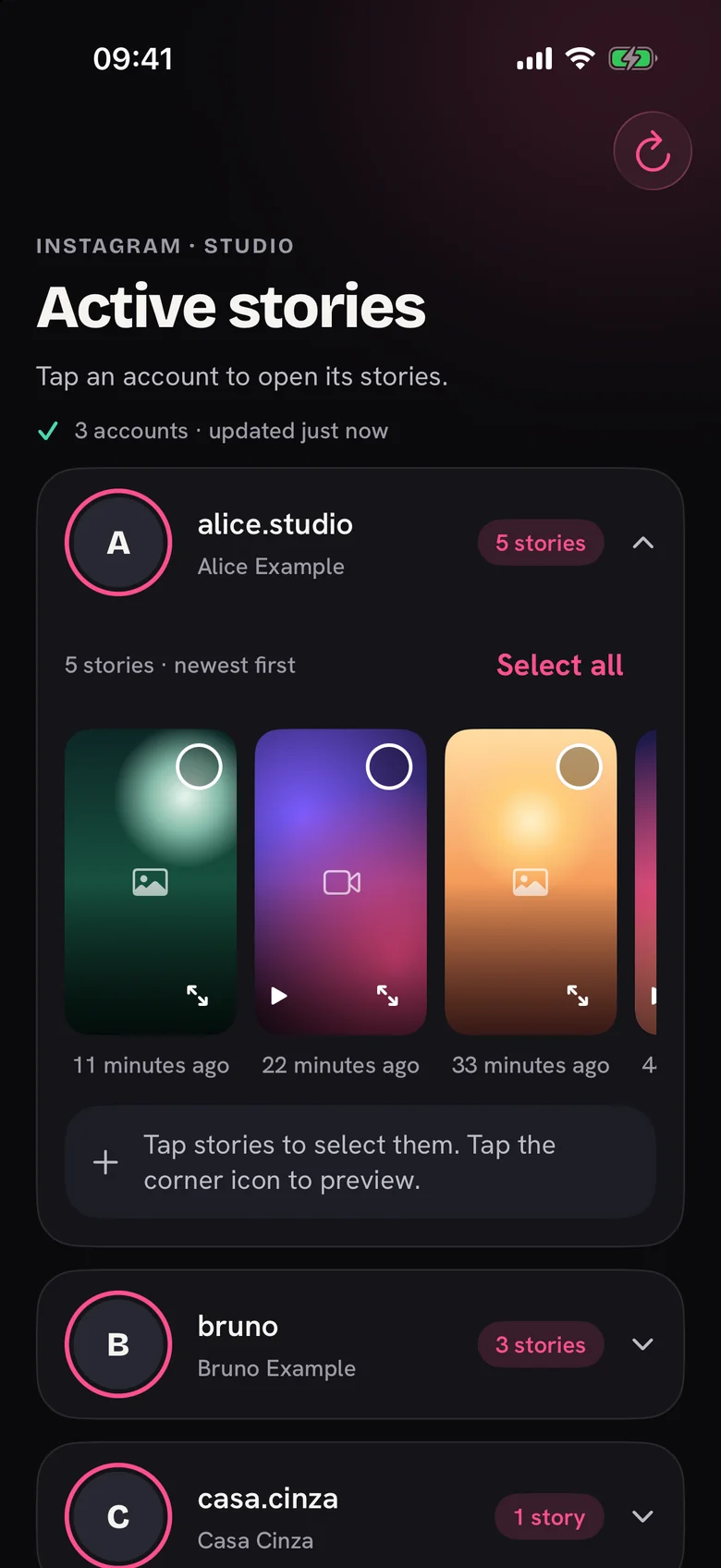
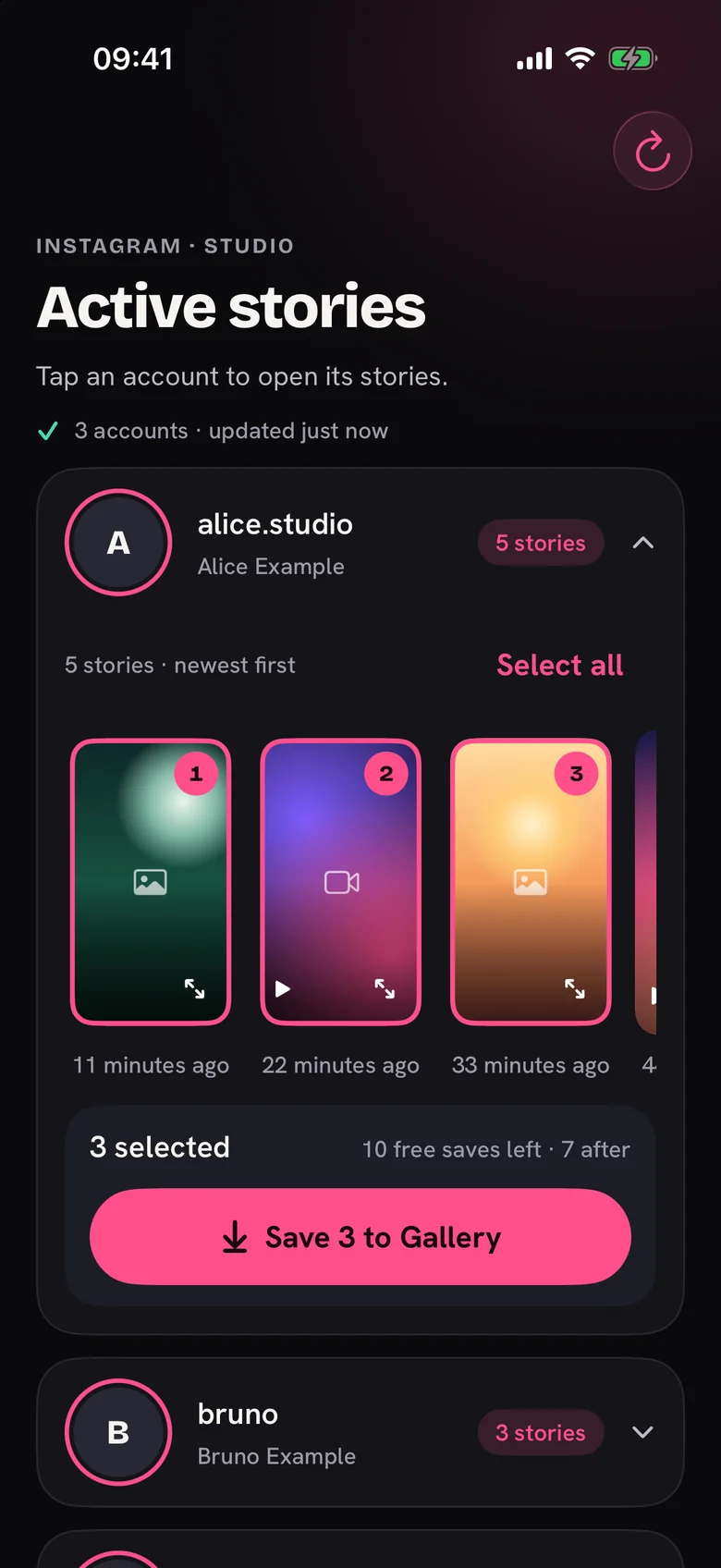
Open an account to see its active stories, newest first. Tap the ones you want. Tap the corner icon for a full preview.
Save to Gallery
Each story shows its own progress. Saved stories get a marker. StoryFetcher can only add to Gallery. It cannot read your library.
Tap a name. Select. Save.
What stays on your phone.
Sign-ins stay on your device
Each account signs in inside the app. The sign-in lives in the app’s own web storage.
No social data on our servers
StoryFetcher does not send your social data to a server.
Gallery is add-only
The app adds to Gallery. It does not read your library.
Saved markers are local
Markers exist only inside the app. The app does not inspect your Gallery.
Questions people ask.
Is StoryFetcher affiliated with Instagram or Facebook?
No. StoryFetcher is not affiliated with Instagram or Facebook.
Does StoryFetcher see my password?
No. You sign in on the real sign-in page inside the app. StoryFetcher does not send your sign-in or social data to a server.
Can I save more than one story at once?
Yes. Select as many stories as you want in an account, then save them together. Each one shows its own progress.
How do I know what I already saved?
Saved stories show a marker. Markers cover only saves made in this app. If you delete a story from your Gallery, the marker stays.
Does StoryFetcher read my photo library?
No. It only adds to Gallery.
Why am I asked to sign in again?
A session can expire. Sign in again from the account row. Your other accounts stay as they are.
Which languages and devices does it support?
English, Portuguese (Brazil) and Spanish (Latin America). iPhone, iPad, and Android phones and tablets.
Ready to keep a story?
Get StoryFetcher for iPhone, iPad and Android.
Get the app