 StoryFetcher
In this article
[Draft written from the app’s behavior. Needs owner review.]
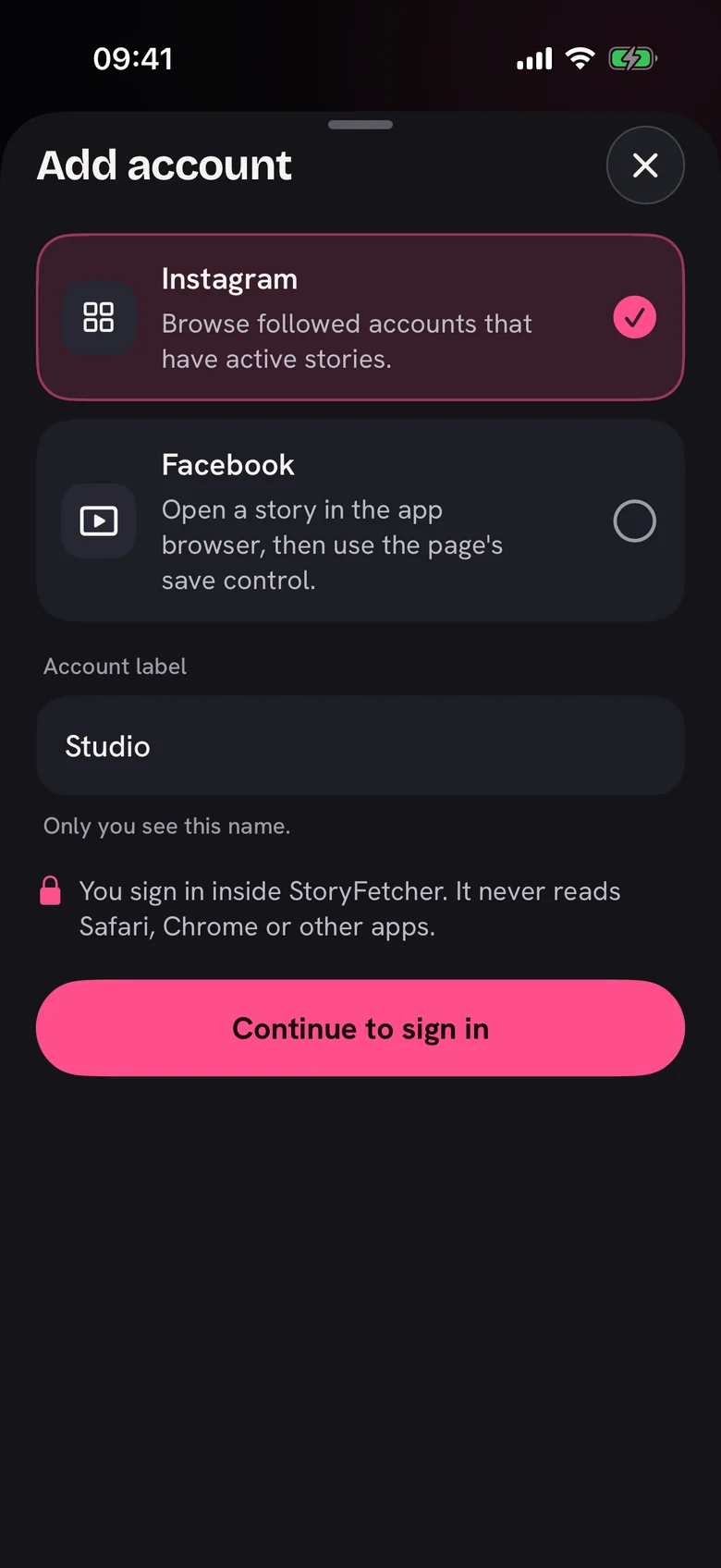
An account is one Instagram or Facebook sign-in. You can keep more than one. Each account keeps its own sign-in inside the app.
Add it
- Open Downloads.
- Tap Add account.
- Choose Instagram or Facebook.
- Type a label, for example Studio or Family page. Only you see this name.
- Tap Continue to sign in.
Your plan sets the limit
The free plan has no account limit. Paid plans set how many accounts stay active. You can see the limit in Plans and access.
What comes next
The real sign-in page opens inside the app. Read Sign in safely inside the app for the next step.